WHO
I / III
Hospital quality staff, surveyors, auditors, accreditation teams, and compliance professionals.
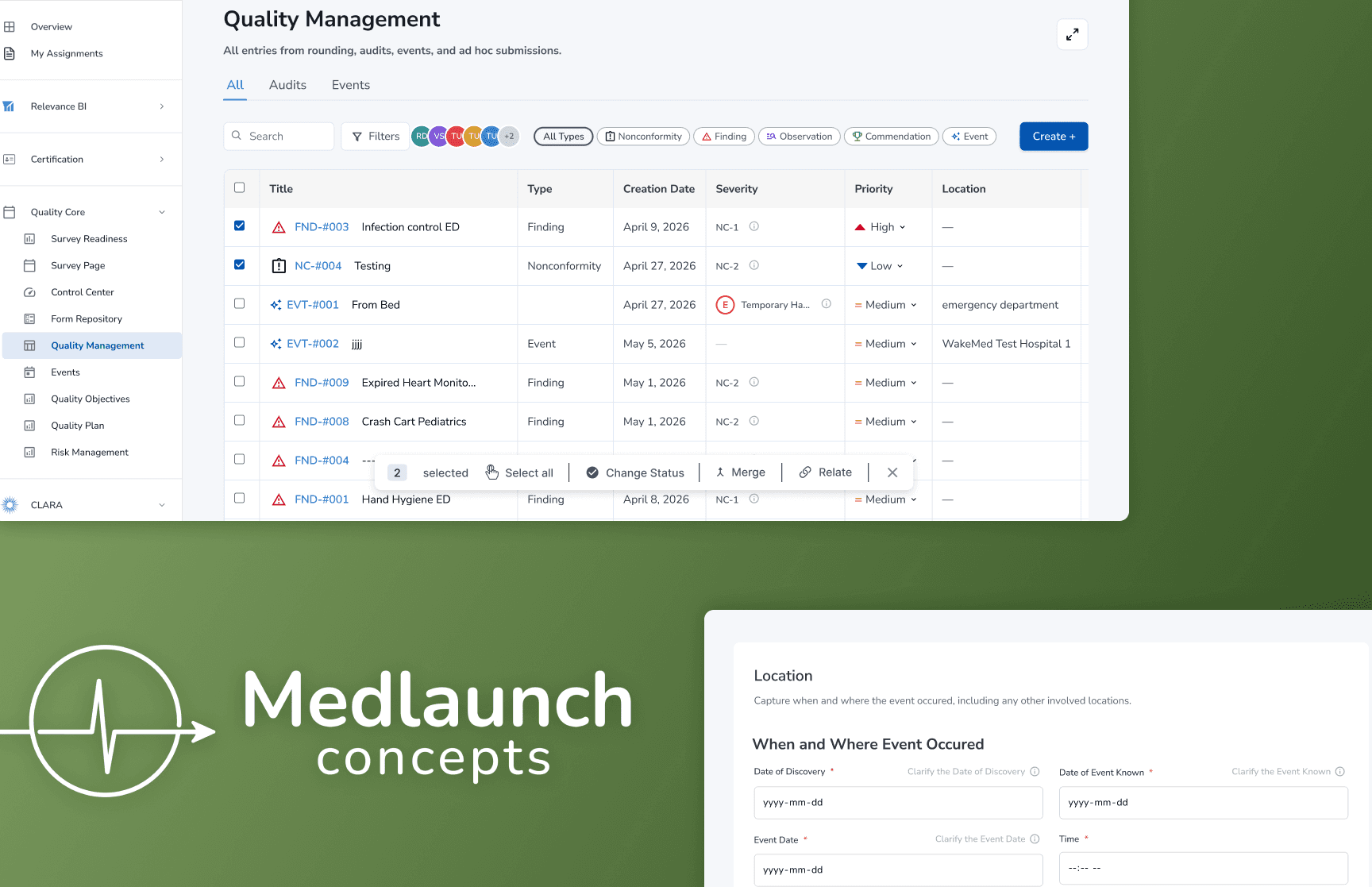
MedLaunch asked our research consulting team to evaluate the usability of its Quality Management page, a complex healthcare workflow tied to compliance-heavy tasks. The story began with a simple question: could hospital quality staff clearly understand the Quality workflow?
MedLaunch’s Quality Management page sits inside a larger hospital compliance workflow, where survey findings and rounding notes become tracked items, corrective action plans, follow-up tasks, and recurrence checks.
Before we could test the experience, our team had to understand the workflow behind it, the users responsible for managing it, and the product constraints that would shape what we could reliably study.
Identify
Issues identified through surveys or roundings
Document
Details are added to document what happened.
Correct
The team decides what needs to be fixed and who will handle it.
Monitor & Close
The team checks whether the fix worked and closes the issue once it is resolved.
Research Question
Could hospital quality staff make sense of MedLaunch's Quality Management workflow?
Initial Objective
Evaluate the usability of MedLaunch's Quality Management page and identify opportunities to make the workflow clearer and easier to use.
The project kicked off with a facilitated meeting where our team presented initial assumptions, secondary research, and clarifying questions to MedLaunch. They walked us through the Quality Management page, a compliance workflow for documenting findings, managing corrective actions, and tracking issues through resolution.
Since the healthcare compliance space was new to us, the priority wasn't testing yet. It was clarifying our assumptions, resolving confusion, and aligning on what MedLaunch actually needed from the study. That conversation transformed a broad product space into a focused research direction.
MedLaunch provided Figma mockups and written documentation. No walkthrough or platform access yet, so the first step was mapping the workflow from static materials.
Before writing a single task, I needed to understand how findings connected to tickets, where forms fed into tasks, and how recurrence tracking and Effectiveness Monitoring fit together.

Two weeks in, MedLaunch granted access to a testing account — but once inside, the gaps became clear. The Quality Management page was still under active development: buttons were non-functional, flows were incomplete, and the build we'd studied didn't fully reflect what users would actually experience within their current interface.

Entry Ticket detail panel as designed in Figma

Entry Ticket detail panel as rendered in the live build
To close the gap, we connected with MedLaunch's UX team. That conversation reframed the study from a broad interface exploration into a focused formative evaluation of the workflows users could meaningfully engage with.
Once we understood the testing environment, our team had another decision to make: whether participants should use their own MedLaunch accounts or a controlled testing account. Real accounts would have reflected more authentic workflows, but they also introduced sensitive healthcare data and limited what we could record or compare across sessions.
We chose the testing environment because it gave every participant the same starting point and helped us protect privacy while keeping the study conditions consistent. The tradeoff was that the account was not fully functional, so we had to be careful about which tasks we included and how we interpreted the results.
How should participants access MedLaunch?
Real Accounts
Authentic but exposes PHI
Sensitive data exposed
Limits recording & comparison
Inconsistent sessions
Hard to compare across users
Testing Environment
Controlled, consistent, safe
✓
Same starting point
Consistent conditions for all
✓
Privacy protected
Full session recording enabled
Reduced realism
Careful task selection required
✓ Chosen approach
The platform was still under active development so not every part of the interface was stable or testable. We decided to narrowed the focus to the workflows we could actually observe.
We designed a mixed-methods study combining formative and quantitative approaches, structured around four scenario-based tasks that reflected core Quality Management workflows.
Eight participants completed 30–60 minute moderated sessions via Zoom, thinking aloud as they worked. The goal wasn't just task completion but understanding where the workflow lost clarity and why.
STUDY APPROACH
ORIGINAL PLAN
Broad interface exploration
↓
CONSTRAINT IDENTIFIED
Platform under active development not all areas stable or testable
↓
REFRAMED TO
Mixed-methods formative study
4 core task workflows
HOW WE TESTED
Moderated usability testing
8 participants, four scenario-based tasks, Zoom on desktop with think-aloud protocol throughout.
Remote
Desktop
30–60 min
Single Ease Question (SEQ)
Participants rated task difficulty on a 1–7 scale after each task to identify where the most friction occurred.
1 = Very Difficult
7 = Very Easy
Formative evaluation
Follow-up questions after each task to uncover reasoning behind navigation choices and moments of hesitation.
Think-aloud
Post-task questions
Task outcome rating
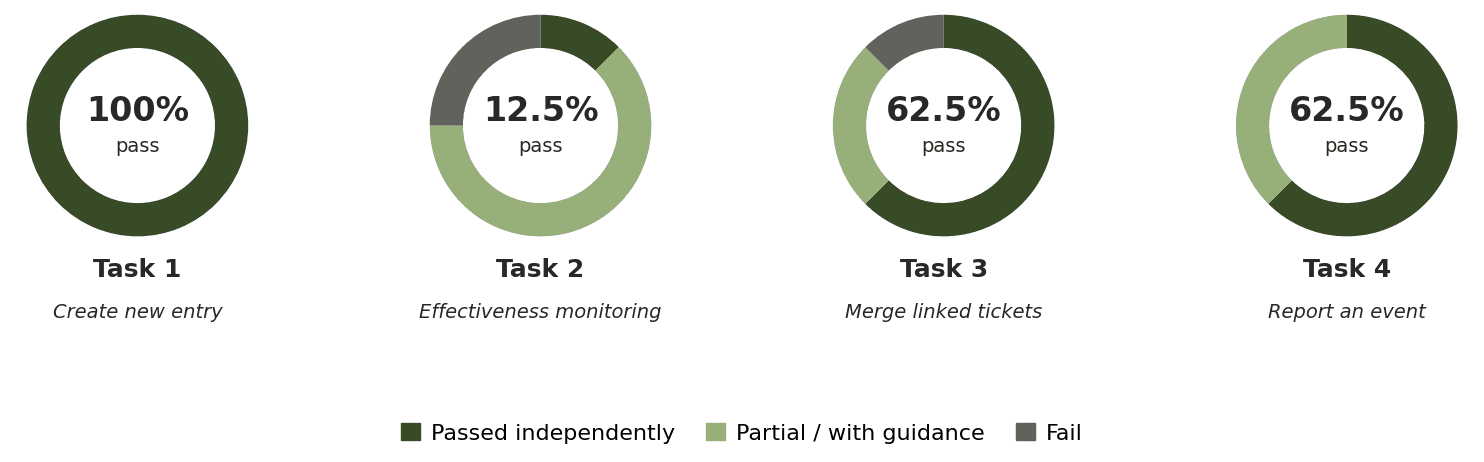
Each task rated as Pass, Partial, or Fail based on whether participants completed it independently.
Pass
Partial
Fail
OUR PARTICIPANTS
HEALTHCARE ADMIN
Pharmacy & hospital administrators with direct compliance experience
HOSPITAL SURVEYOR
Auditors familiar with accreditation workflows and quality standards
COMPLIANCE & QM
Professionals responsible for documenting and tracking compliance issues
ADJACENT ROLES
Project managers, engineers, and designers in regulated environments
"There's learning, you know, it's just learning. It's just something new."
— Participant 2, on the learnability of the platform
01
Navigating Effectiveness Monitoring
The "Start Effectiveness Monitoring" button was hidden behind a horizontal scroll with no visible scrollbar — only 1 of 8 users found it independently.
CRITICAL
"There's not even a scroll bar. You wouldn't know the scroll was there if you're just using your mouse."
— Participant 6

RECOMMENDATIONS
Widen the side panel so Actions table columns are fully visible
Add a visible horizontal scrollbar as a fallback affordance
02
Merging Linked Tickets
Users understood they needed to merge tickets but repeatedly merged in the wrong direction — "Relates to" read as a description, not an action, and there was no confirmation or undo.
MODERATE
"Everything is in past tense, so it's like I was looking for tickets that were merged into this already."
— Participant 8
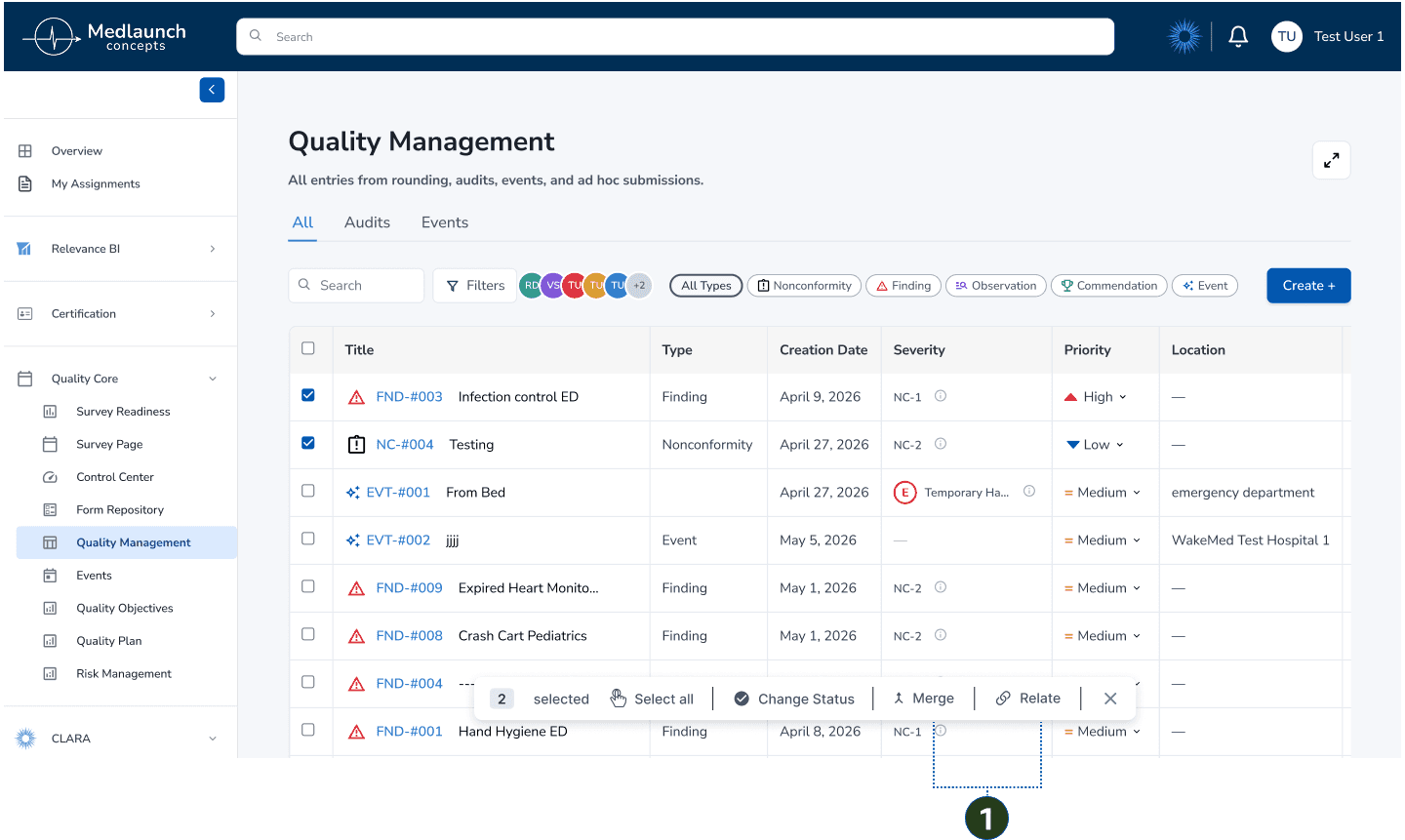

RECOMMENDATIONS
Add Merge to the bulk action toolbar when two records are selected
Initiate merge from the primary ticket, not the sub ticket
Rename "Relates to" → "Relate" and "Merged Into" → "Merge"
03
Event Reporting Form
Fields didn't account for real-world uncertainty — no "Unknown" option existed — and three indistinguishable date fields caused users to assume they were entering the same information twice.
MODERATE
"Not applicable is not the answer. I need an 'I don't know yet' — I would have to go investigate that one."
— Participant 2


RECOMMENDATIONS
Add "Unknown" and "Other (please specify)" to incomplete fields
Consolidate or add helper text to the three date fields
After turning the findings into recommendation themes, our team packaged the study into a usability report and client presentation. The report documented the study process, participant profiles, task outcomes, limitations, findings, and Figma mockups so MedLaunch could understand not only what users struggled with, but why those moments mattered.

The presentation gave us a chance to walk through the story of the study, answer clarifying questions, and connect each recommendation back to observed user behavior. Rather than handing over a list of fixes, we delivered a research-backed path for making the Quality Management workflow easier to learn, faster to use, and more supportive of users’ everyday work.